Understand
Make sense of your answer.
Ask why your chosen option does not work. Smith uses the question, answer key and explanation, and may ask how you reasoned before suggesting what to revisit.
Smith · Your AI learning assistant
I chose “shift in demand”. Why is my answer wrong?
The question says only the good’s own price changed. With other factors unchanged, that means a movement along the demand curve, not a shift.
A shift happens when something else changes, such as income or preferences.
Price changes: move along.
Other factors change: the curve may shift.
Named in honour of Adam Smith, the father of modern economics.
Help that starts with your results
Understand
Explore
Personalise
One question · One test · Your preparation
For one question
After a test, open the Results page, select Review answers and choose Ask Smith beside a question. Ask for simpler words, a familiar example or a follow-up explanation, and keep the conversation going until the idea is clear.
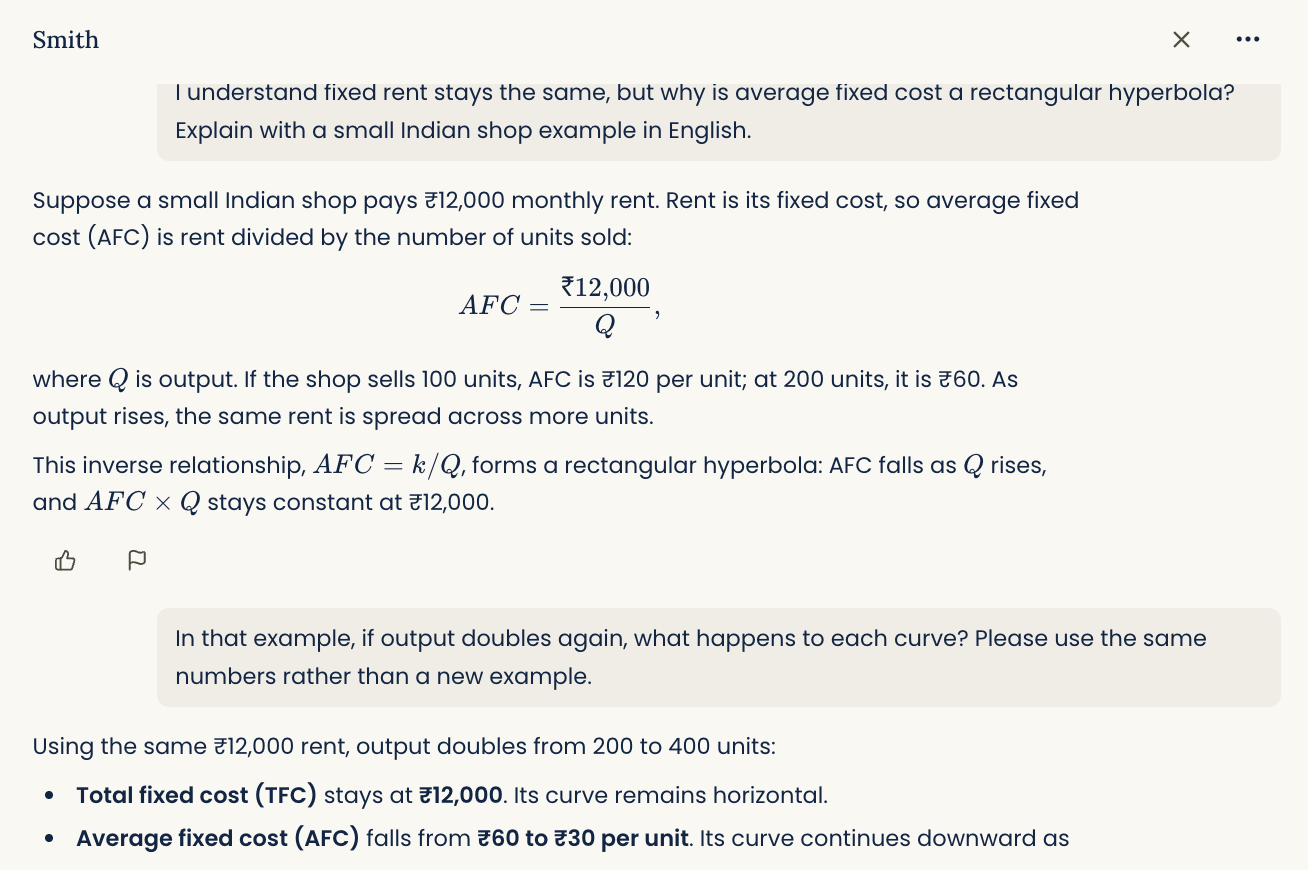
After a test
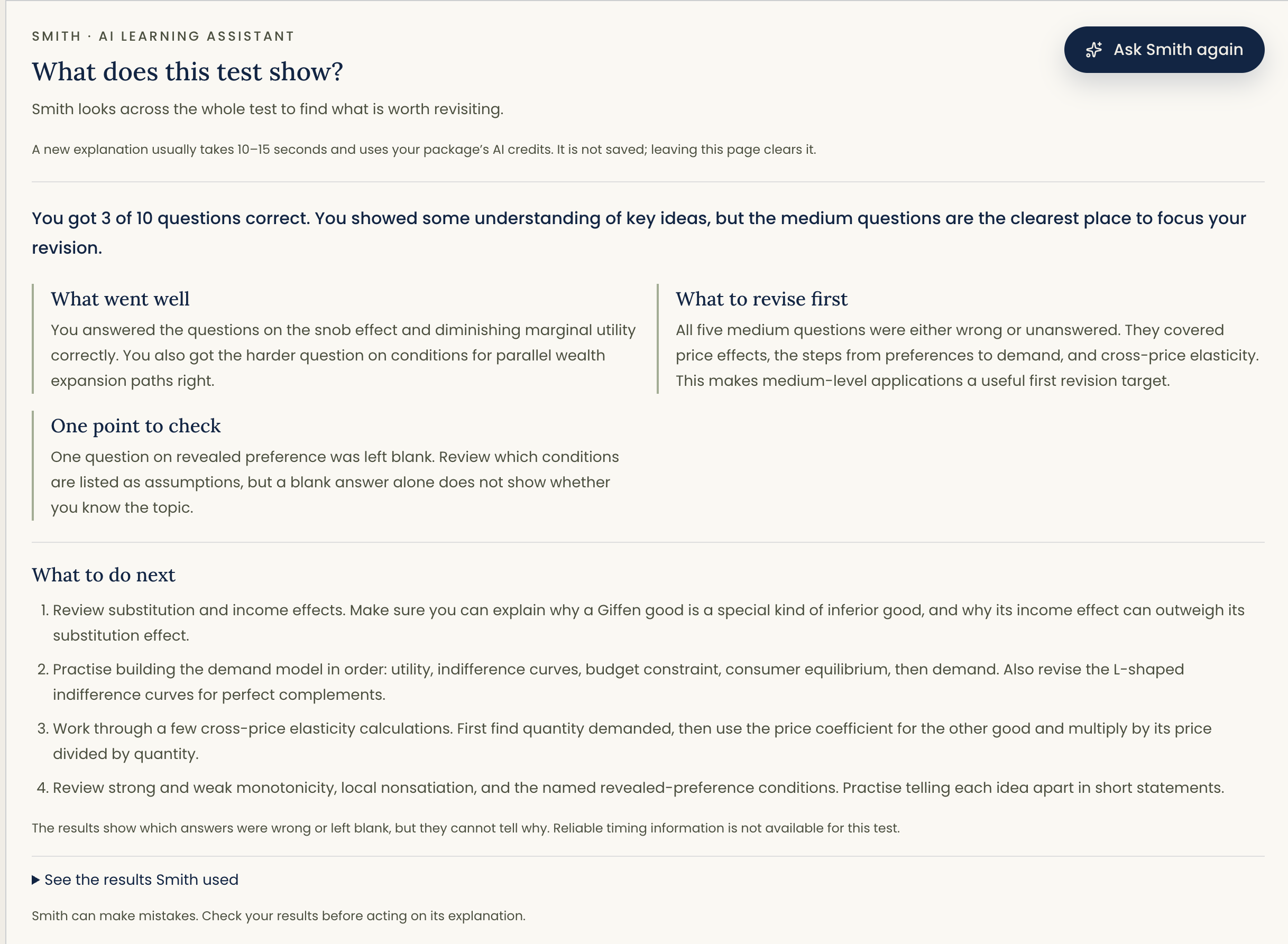
Open the Results page, select Insights and choose Analyse this test. Smith can look across the full result—not just one question—to show what went well, bring related gaps together and give you a practical revision order. When reliable Focus mode timing is available, it can also point out where time may need attention.
During your preparation
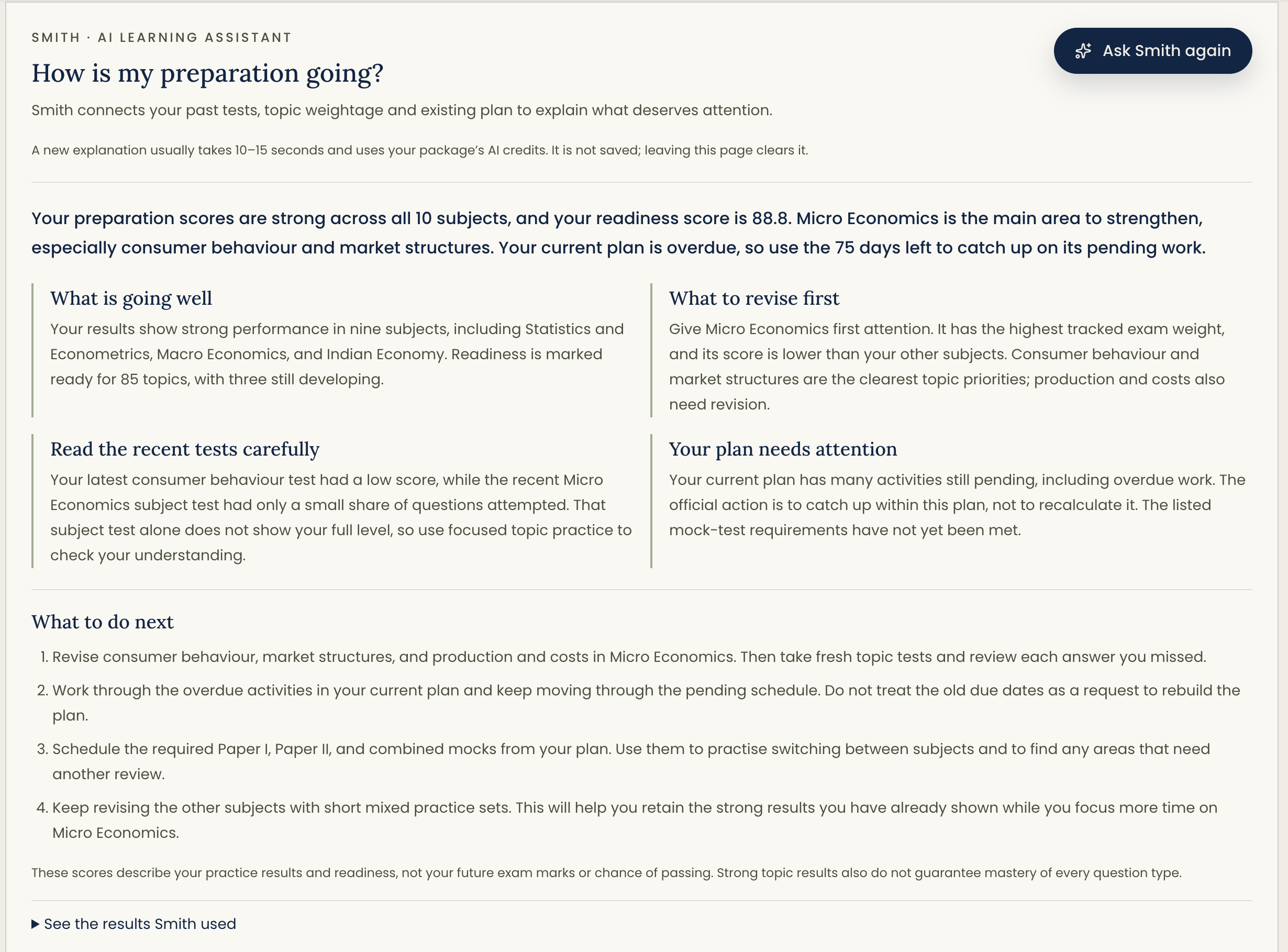
Open the Preparation page, select Progress and choose Review my preparation. Smith connects your past tests, how much each subject matters in the exam, the time you have left and your current plan. It helps you see your strengths, your most important gaps and the work that deserves attention now.
Begin with a result
Open Review answers and select Ask Smith beside a question. Ask for a simpler explanation, an example or a guided walkthrough.
In Test Results, open Insights and choose Analyse this test. Smith looks across the complete attempt for strengths, gaps and useful next steps.
Open Preparation, then Progress, and choose Ask Smith. Smith connects your test history, important subjects, exam time and current plan.
A step further in personalisation
Prefer everyday examples or explanations one step at a time? Tell Smith, then choose to remember that message. It can help make future replies about the same exam and topic more useful to you.
For example: “Please use a simple example when explaining income and substitution effects.” Choose Remember this so Smith can use your preference for later help on that topic.
This is off by default. Nothing is remembered automatically. Forgetting a message does not delete your saved chat. Your test results and study plan stay unchanged. See privacy details.
Usage & credits
Included once · Where enabled
10,000 credits
Complimentary with any exam package.
Active exam package access is required. Credits do not represent a fixed number of questions or replies.
View your usageEach new reply uses credits, whether you type a question or choose a suggested prompt. Longer questions, conversations and replies can use more credits.
Saved chats, test explanations, reports, exports and privacy controls do not use AI credits. Failed or safety-withheld replies do not use your credits.
Tokens are small pieces of text, such as a word or part of a word. Smith uses tokens to read and reply. Your credits are used based on token usage—not just the message you type.
The test question, its explanation, earlier messages needed for context and Smith’s reply all count. Longer conversations, detailed replies and questions that need more working out can use more tokens and credits.
Check your remaining credits in Settings & usage.
Credits are complimentary once per exam package. Deleting chats does not add more. Daily limits may apply. Credits cannot be transferred, and buying credits is not supported yet.
Good to know
Smith supports your learning. It does not replace your teacher or the need to check an answer.